Skip to content

Video Game · Wishlist on Steam

Warlords of Archaios Online

Warlords of Archaios Online

Video Game Wiki

The details that can turn a battle: how food, armor, experience, treasure, and cave travel really work.

Gameplay reference · Updated September 26, 2026

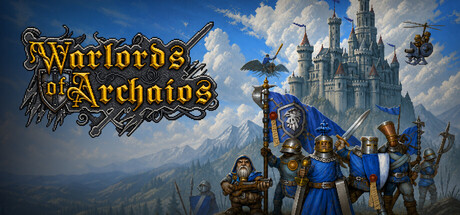
Warlords of Archaios Online fantasy strategy artwork

Playing the itch.io demo? It is an earlier Kingdoms preview without caves. See edition differences.

Food & survival

Food is an ongoing bill

Food is a resource your army consumes. There are three upkeep bills during each day; the normal cycle is five minutes of daylight followed by five minutes of night. Food bills stop at night, so use that breathing room to rebuild your reserves.

Watch the next bill, not just the current total. A larger army can drain a healthy-looking stockpile in one payment.

Why your whole army suddenly slows down

When your food falls below 1, affected units starve: they lose 1 HP per second and their movement and attack speed are halved. Night stops new food bills, but does not cure an existing shortage. Bring the reserve back to at least 1 to end starvation.

Summoned Water Elementals do not need food and are exempt from starvation. Do not mistake their normal speed for the rest of the army being healthy.

Armor & damage

Armor rating is not a percentage

Physical damage reduction is 100 × armor ÷ (100 + |armor|). Adding 5 armor does not mean five percentage points of protection. The unit panel shows the resulting reduction.

Examples of physical armor
Armor ratingDamage reductionDamage from a 100-point hit
2520%80
5033.3%66.7
10050%50

These examples isolate armor. Other effects can change the final damage. Negative armor increases physical damage taken.

Spells use a different defense

Magic damage bypasses physical armor and uses magic resistance. Units have a 25% baseline magic resistance; additional spell resistance adds to it, up to 95%.

A heavily armored target can still be a good spell target. Check the type of damage and the target’s resistance before choosing a counter.

Warlords & experience

Your Warlord does not need the last hit

Eligible living Warlords on the killing team receive experience when they are within 14 tiles of the defeated target. Nearby eligible Warlords split that reward; a Warlord far away receives nothing. Garrisoned Warlords do not share it.

Bring the Warlord with the army when clearing camps. Leaving them at home while troops fight wastes that chance to level.

Bandit camps stop leveling you at 5

Bandit camp defenders, including their wolves, can raise a Warlord to level 5, but cannot provide progress toward level 6. A Warlord already at that cap does not take a share away from lower-level Warlords.

If camp kills stop moving the experience bar, check the Warlord’s level before reporting a bug.

Items & tomes

Choose who collects a tome

Tomes give their benefit to the Warlord who collects them. Health, mana, and defense tomes grant permanent stat increases; they are not temporary combat buffs.

  • Health: +50 maximum HP and +1 HP regeneration. Strength Warlords also gain +1 damage.
  • Mana: +50 maximum mana and +1 mana regeneration. Intelligence Warlords also gain +1 damage. Warlords without mana cannot collect it.
  • Defense: +2 armor rating and +5% attack speed. Agility Warlords also gain +1 damage.
  • Experience: +50 experience.

A healing item can put another one on cooldown

Some items share a cooldown. For example, a Healing Ward shares the 20-second healing-item cooldown, so owning another healing item does not necessarily let you use it immediately.

The ward heals nearby friendly non-mechanical units for 2% of their maximum HP per second while active. Enemies can destroy it, so placement matters.

Neutral camps & night

Walking past a sleeping camp is different from attacking it

Undisturbed neutral camp defenders sleep at night. Proximity alone does not wake a sleeping camp; attacking a defender wakes the camp. A camp already fighting can remain active.

Night can create a scouting route past neutral enemies. Avoid giving an attack order if your aim is simply to pass through.

Keep the day/night cycle in your plan

Day and night each last five minutes in the normal cycle. Night changes more than the lighting: food billing stops and undisturbed camps sleep.

In the full game, a Moonstone creates 30 seconds of artificial night and pauses the natural clock, which resumes afterward. This item is part of the Elven game content, not the Kingdoms-only demo roster.

Chests & keys

Two objective chests, two different keys

A new match in the current desktop build has one silver and one gold locked objective chest. Each can appear on the surface or underground; both may be on the same layer. Explored chests appear as white square minimap markers.

The silver key is carried by a defender in a medium camp; the gold key comes from a hard camp. Keys remain on surface camp enemies. Bring the matching key in a Warlord’s inventory to unlock its chest. Opening the chest consumes that key.

Older saved matches and the itch.io demo can have a different layout. Loose item drops are separate from these two locked objectives.

The gold chest has a larger reward pool

Locked chest rewards in the current desktop build
ChestGoldOther rewards
Silver100–250One random tome and one common item
Gold250–500One random tome, one rare item, one uncommon item, and one common item

Rewards appear around the chest. Make room in your Warlord’s inventory and collect what you want before leaving.

Caves & travel

Entering a cave leaves a vulnerable window

With units selected, right-click a cave entrance. Units wait at the entrance for six seconds, then play their short entry animation before arriving on the other layer. They can still be attacked during the wait.

Hold Position or a new manual order cancels entry. An obstructed exit delays arrival until there is room. Flying units also use entrances and cannot fly over the underground abyss.

Caves are in the current desktop build. They are not included in the older itch.io browser or Windows demo.

Both maps keep running while you look elsewhere

Press F3 by default, or use the arrow beside Ping, to switch map views. This moves your camera; it does not pause the other layer or teleport your army.

Workers can build on clear cave floor, and gold gatherers can travel through entrances, mine below ground, and deliver to a surface base. Keep those routes clear.

Caves have no weather effects or weather gameplay modifiers. In full-game Elven play, underground units receive no nighttime health/vision bonus and Moon Wells gain no moonlight.
Orders & hotkeys

Use a queue for a route, not a string of replacement orders

Hold Shift to queue orders, including cave travel, instead of replacing the current task. This is useful when you want troops to finish one leg of a route before moving on.

In Options → Hotkeys, general Attack Move, Formation, and Hold Position bindings apply across characters. A character-specific binding can override the general choice. Check your saved bindings rather than assuming every ability still uses its default key.

Control groups can be remembered between matches

Ctrl + 1–9 assigns control groups. The “Remember control groups” option saves their unit and building composition per faction. New matches try to refill those groups as matching units and buildings become available.

Rebinding a number replaces that slot’s saved composition. If a new unit appears in a group unexpectedly, check this option.

Editions & multiplayer

Check which edition you are playing

This wiki describes the current desktop mechanics reviewed on September 26, 2026. The game is in development, so your build may differ.

  • itch.io browser demo: Kingdoms-only single-player skirmishes, designed for mouse and keyboard. No caves or multiplayer.
  • itch.io Windows demo: the older Kingdoms preview with single player and LAN. It also excludes caves and internet multiplayer.
  • Current Steam desktop build: newer shared mechanics, including caves. The Steam demo keeps the Kingdoms-only playable roster; the full game has additional factions.

Use the version shown in your game when comparing behavior or sending a report. Check the itch.io demo page or Steam for the edition currently available to you.

The host needs to keep the match open

Steam multiplayer matches are hosted by a player. If the host closes the game, the room ends; there is no automatic host migration. A disconnected client can rejoin an active match while the host remains running.

For the itch.io Windows LAN demo, everyone needs the same demo version and the same local network. The browser demo cannot join those rooms.

Opening the Steam overlay is not a multiplayer pause

In Steam single player, opening the overlay pauses the match. Closing it resumes play unless another pause, such as the game menu, is still active.

In multiplayer, the overlay does not pause the match for everyone. Use the game’s shared pause controls when you need the match to stop.